
If you do not have a POE switch available to power your desk phone, you will need to connect a POE injector to power your phone. Read on to see how to connect the POE injector kit.
Connection is straightforward, and will connect like this:
Note that if the included cable or cable you already have with your phone are not long enough, you may use any standard CAT5E or CAT6 Ethernet patch cable as a replacement.
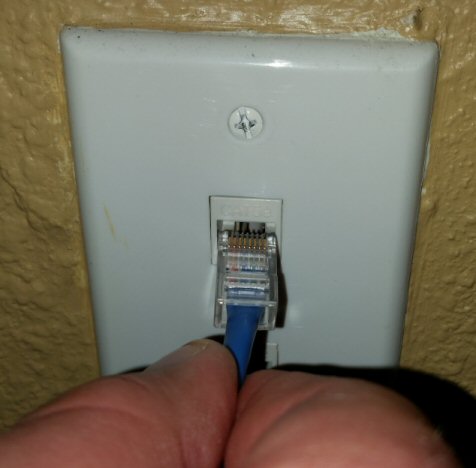
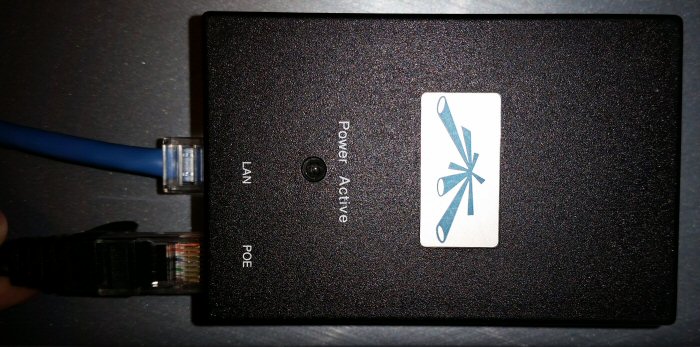
First, connect the included 3' cable (color may vary) to the LAN port on the injector. The other end of that cable will connect to your wall data port or to your Internet router.

The next step is to connect the phone to the POE injector. Using the cables already attached to your phone, connect one end to the POE injector port labeled "POE", and the other end to the port on the phone.

The final optional step is to connect your computer to your phone. You would need this if you do not have enough open ports on your router for both your phone, and your other devices. To connect your computer through the phone, plug in the cable from your computer to the port of the phone.
Once all of your connections are made, you may connect the POE injector to a power outlet. Your phone should power on. If your phone is new or has not been used for a long time, the phone may need to update the firmware, and may take several minutes. It may also reboot a few times during this one-time process.
0 Comments